
The goal here isn't just to have a copy of your meds; it's to ensure that if something goes wrong, you can get a refill without compromising your privacy or safety. We'll look at the best ways to handle both physical and digital backups so you're covered regardless of where you are in the world.
The Big Picture: Why "Just a Photo" Isn't Enough
Most people instinctively reach for their smartphone to take a picture of their prescription. While this feels efficient, it's often the least secure method. Standard photo galleries are rarely encrypted, and if your phone is stolen or synced to an insecure cloud, your medical history is essentially public. According to research in the Journal of Patient Safety, nearly a quarter of patients who carried physical or unencrypted copies of prescriptions experienced security incidents, ranging from theft to unauthorized use.
When we talk about backup prescriptions secondary copies of medical authorizations used to obtain medication in emergencies or during travel, we're talking about two different types of security: physical security (keeping the paper safe) and digital security (keeping the data encrypted). If you're carrying meds like opioids or other controlled substances, the stakes are even higher. These documents are treated similarly to cash or passports because of their potential for misuse.
Digital Backups: Moving Beyond the Camera Roll
If you want a digital copy, you need to move the data out of your general photo gallery and into a secure environment. Most standard "medication reminder" apps focus on when to take your pill, not how to store your documents. In fact, a 2022 analysis showed that only 3% of medication apps actually encrypt the images you store.
The safest bet is to use a Patient Portal a secure online website that gives patients 24-hour access to personal health information from nearby clinics and hospitals provided by your pharmacy or doctor. Large chains like CVS or Walgreens have integrated encrypted storage within their apps. Because these systems are designed to be HIPAA-compliant, they use high-level encryption (often AES-256) that far exceeds the security of a basic smartphone folder.
If your provider doesn't have a portal, try these alternatives for travel medications:
- Encrypted Note Apps: Use an app that allows you to "lock" specific notes with a separate password or biometric scan (FaceID/Fingerprint).
- Secure Cloud Folders: Use a dedicated "Vault" feature if your cloud service provides one. This adds an extra layer of authentication before the file can be opened.
- Password-Protected PDFs: Instead of a JPG, scan your prescription into a PDF and add a strong password to the file itself.
Physical Backups: The "Analog" Safety Net
Digital is great, but batteries die and screens crack. A physical backup is still a necessity. The trick is to avoid carrying the original prescription as your only copy. Instead, ask your doctor for a certified photocopy or a signed letter detailing your medical necessity, the generic name of the medication, and the dosage.
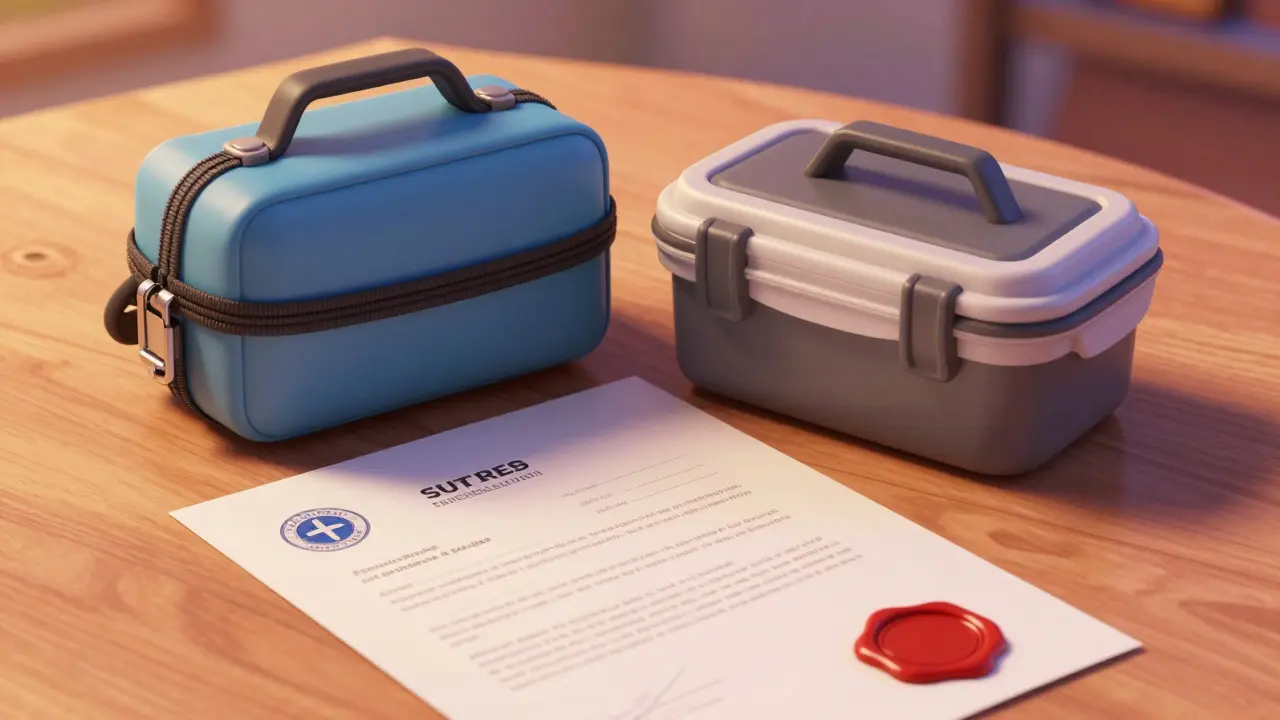
To keep these documents safe, avoid the temptation to tuck them into your wallet. If your wallet is stolen, your prescriptions go with it. Instead, use a Locking Medication Container a secure physical box designed to prevent unauthorized access to medications and their accompanying documentation or a small, waterproof fire-safe pouch tucked into a hidden part of your luggage.
| Method | Security Level | Accessibility | Best For... |
|---|---|---|---|
| Pharmacy App/Portal | High (Encrypted) | Instant (Online) | Quick verification and refills |
| Locked PDF/Vault | Medium-High | Moderate | Offline digital access |
| Certified Photocopy | Low (Physical) | High (Offline) | Customs and border crossings |
| Standard Photo Gallery | Very Low | Instant | Avoid this method entirely |
Managing Controlled Substances and High-Risk Meds
If you're traveling with medications that are strictly regulated, the rules change. In many countries, a digital photo of a prescription isn't legally recognized at a pharmacy; they need to see a physical document or a direct transmission from your doctor. For these, you should prioritize a "Doctor's Letter." This is a formal statement on clinic letterhead that explains why you need the medication. It's much harder to forge than a simple prescription slip and is more widely accepted by customs officials.
Avoid carrying too many backup physical copies of controlled substances. If you lose a folder containing five different backup scripts for a potent narcotic, you've created a significant security risk. Carry one authenticated copy and rely on your pharmacy's digital portal for the rest.
The Checklist for a Secure Medication Kit
Before you head out, run through this list to make sure you haven't left a gap in your safety plan:
- Pharmacy Portal Check: Log in to your pharmacy app. Can you see your current prescriptions? Download a PDF version of your active list.
- The "Analog" Copy: Get a signed letter from your physician. Store it in a waterproof sleeve separate from your main meds.
- Generic Name List: Write down the generic names of your meds. Brand names change by country, but generic names (like Ibuprofen or Lisinopril) are universal.
- Emergency Contact: Have the phone number and email of your prescribing doctor and your home pharmacy saved in your contacts.
- Cloud Sync Audit: If you used a "Vault" or encrypted folder, test it on a different device to ensure you actually know the password to get in.
Common Pitfalls to Avoid
One of the biggest mistakes travelers make is failing to update their backups. If you change a dosage or switch brands, that old photo on your phone is now a liability. It can lead to medication discrepancies during a health crisis, which can be dangerous. Every time your prescription changes, delete the old digital copies immediately.
Another risk is the "public Wi-Fi trap." Avoid logging into your pharmacy portal or downloading prescription PDFs while connected to airport or hotel Wi-Fi. These networks are often unencrypted, making it easy for hackers to intercept your data. Use a VPN or your own mobile data to access your medical records.
Will a digital photo of my prescription be accepted at a foreign pharmacy?
Usually, no. Most pharmacists require an original physical prescription or an electronic transfer from a licensed provider. A photo is helpful for showing the pharmacist exactly what you need, but it rarely serves as a legal authorization to dispense medication.
What is the safest app for storing prescription copies?
The safest apps are the official patient portals provided by your healthcare provider or pharmacy (such as those from CVS or Walgreens). These are built to comply with HIPAA and other health privacy laws and use professional-grade encryption.
How do I handle backups for controlled substances?
For controlled substances, a formal doctor's letter on official letterhead is the gold standard. Store this physically in a secure, hidden location and avoid making multiple digital copies unless they are stored in a highly encrypted vault.
What should I do if I lose both my meds and my backups?
Contact your prescribing doctor immediately to have a new prescription sent electronically to a pharmacy in your current location. If you have a digital portal backup, you can show this to a local doctor to help them verify your needs and write a local prescription.
Is it safe to email my prescriptions to myself?
Generally, no. Email is often transmitted in plain text and can be intercepted. If you must use email, send the prescription as a password-protected PDF and store the password in a separate location.
Next Steps for Different Travelers
The Casual Traveler: If you're just taking over-the-counter meds or a simple maintenance drug, a secure folder in your cloud storage and one physical photocopy is plenty. Keep it simple and don't overthink it.
The Chronic Patient: If your life depends on your medication, you need a redundancy system. Use a pharmacy portal, a password-protected PDF, and a physical doctor's letter. Ensure these are stored in two different bags so that one lost suitcase doesn't leave you stranded.
The High-Risk/Controlled Med User: Focus on the legalities. Check the laws of your destination country. Some countries have very strict rules about what is considered a "legal" prescription. A doctor's letter and a physical copy are mandatory; digital copies are merely a backup for the backup.